
The picture in VR
Colour and depth, scene by scene.
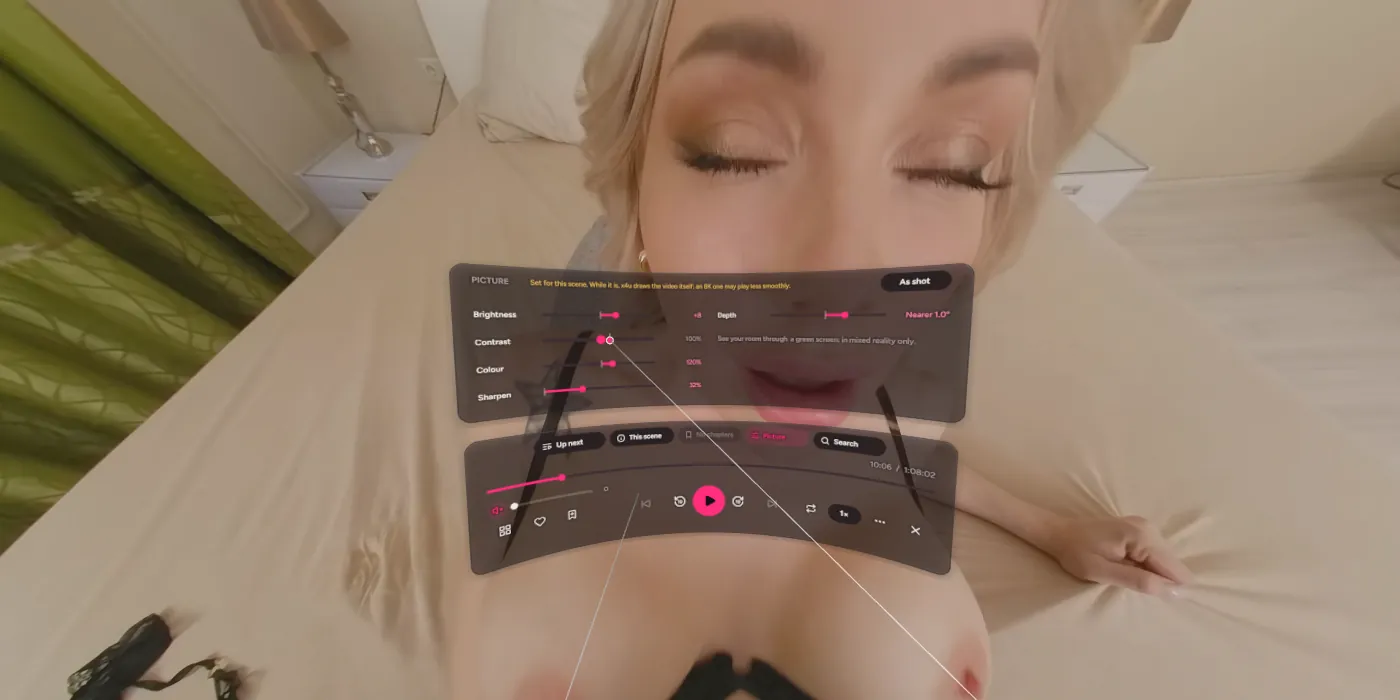
In the VR Theatre, the Picture tab above the controls sets the scene you're watching: brightness, contrast, colour and sharpness, and Depth, which brings everything nearer or pushes it further. Drag a slider with the trigger held; each rests at a tick, where the picture is as it was shot. Every scene keeps its own settings on that headset, and As shot puts one back.
The Theatre is plain VR, without your room: showing the room keeps the headset's cameras running under the picture, and 8K loses frames to it. So See your room through, which takes a green or blue screen out of the picture to show your room behind it, waits for mixed reality to come back to the Theatre. SexLikeReal's passthrough videos have a way of their own: Passthrough, beside Enter VR on such a scene's page, plays it in your room with its performer cut out. That's the scene alone, with the dock's controls and other passthrough videos in Up next, but no library; Exit (or moving to a scene that isn't one) ends it.
The video got less smooth when I changed the picture.
While a scene's picture is set, x4u has to draw each frame itself rather than hand the video to the headset, which is heavier, most of all for 8K. As shot goes back to the smooth way. If you want the setting, a smaller size from the scene's page plays easier.
People look too big, too small or too close.
Depth helps: Nearer makes things closer and smaller, Further the other way. Zoom, with the grip held on the picture and the stick, changes how much of your view it fills. The two together usually get a scene looking right.